A minimal customizable display manager with a clean TUI.
No external binaries or libraries needed (except PAM for authentication).
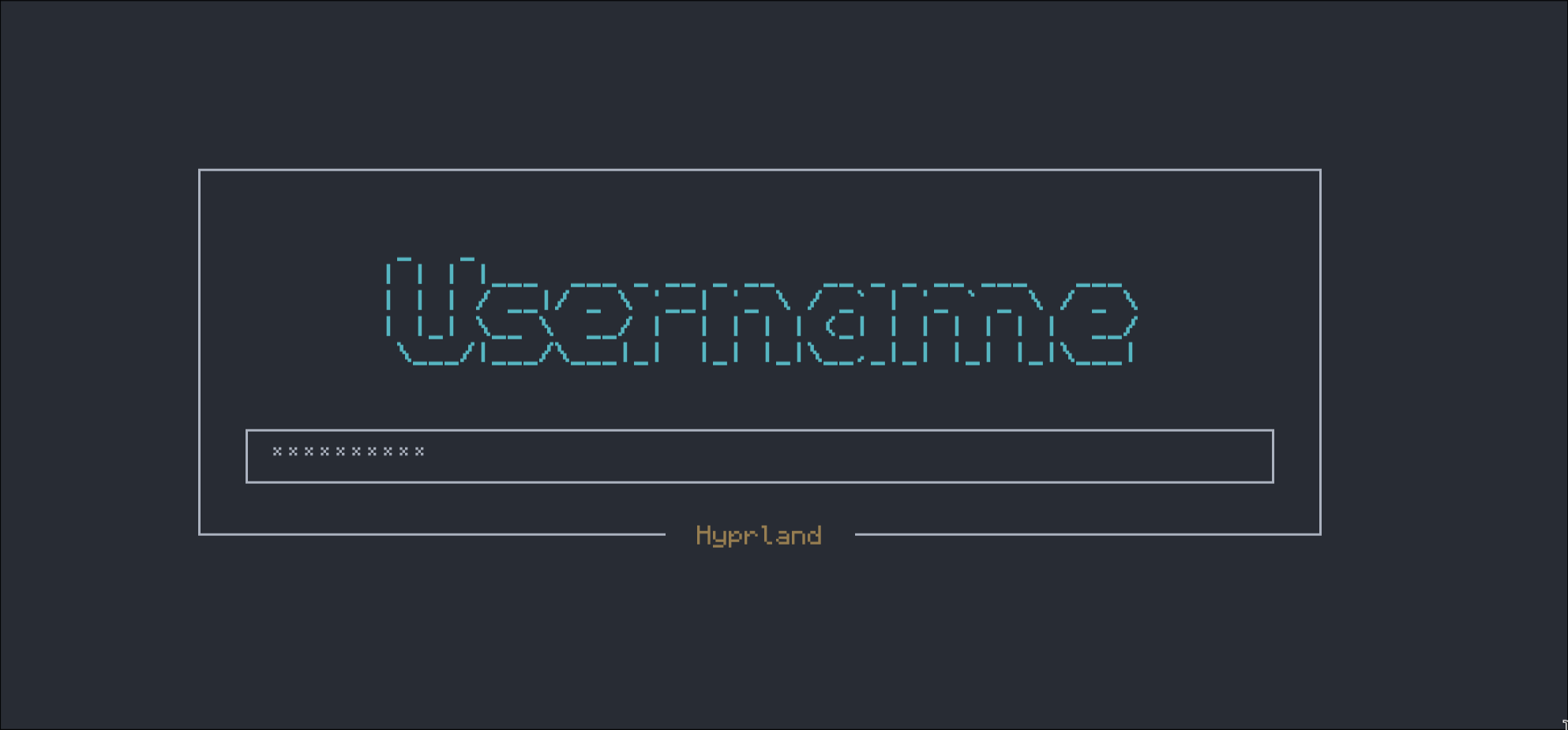
- Auto-detects system users (UID >= 1000)
- Auto-detects available sessions from
/usr/share/xsessionsand/usr/share/wayland-sessions - Remembers last selected user and session
- PAM authentication
- Session management with privilege separation
- Dynamic terminal-size-aware UI
- Elegant keyboard navigation
- Works with X11 and Wayland sessions
make
sudo make install
sudo systemctl enable mdm
sudo systemctl start mdm
Be sure to disable your current display manager e.g.
sudo systemctl disable sddm.serviceYou can configure the colors applied to the TTY login screen at /etc/mdm/mdm.conf
MDM automatically detects all available users and sessions.
The session selector appears centered below the password field.
Selecting the ascii art username and hitting enter lets you edit/change the user who is logging in. You can specify capitalization which is used for the figlet ascii art, but is lowercased when used to sign in.
- Enter: Submit password and login (when on password field)
- Tab: Switch between password field and session selector
- Left/Right Arrow Keys: Change session (when focused on session selector)
- F3: Suspend system
- F4: Shutdown system
- F5: Reboot system
- Ctrl+C: Exit
Power hotkeys are customizable
Your last selected user and session are remembered in /var/cache/mdm/state.
MDM scans /etc/passwd for users with:
- UID >= 1000 (regular users)
- Valid login shells (excludes
/bin/false,/usr/sbin/nologin, etc.)
MDM reads .desktop files from:
/usr/share/xsessions/*.desktop- X11 sessions/usr/share/wayland-sessions/*.desktop- Wayland sessions
If no sessions are found, it defaults to startx.
MDM includes a lightweight FIGlet font parser that reads the standard font file directly - no external figlet binary required.
Authentication failed:
- Check
/etc/pam.d/mdmis installed - Check journal:
journalctl -u mdm -f
No users detected:
- Ensure your user has UID >= 1000
- Check shell is valid:
getent passwd $USER
X/Wayland session fails:
- For X11: Ensure
~/.xinitrcexists - Check session is installed:
ls /usr/share/xsessions/ - Check session command exists:
which startx/which sway/ etc.
Can't see UI:
- Switch to TTY1:
Ctrl+Alt+F1 - Check status:
systemctl status mdm
Disable other display managers:
sudo systemctl disable gdm
sudo systemctl disable sddm
sudo systemctl disable lightdm