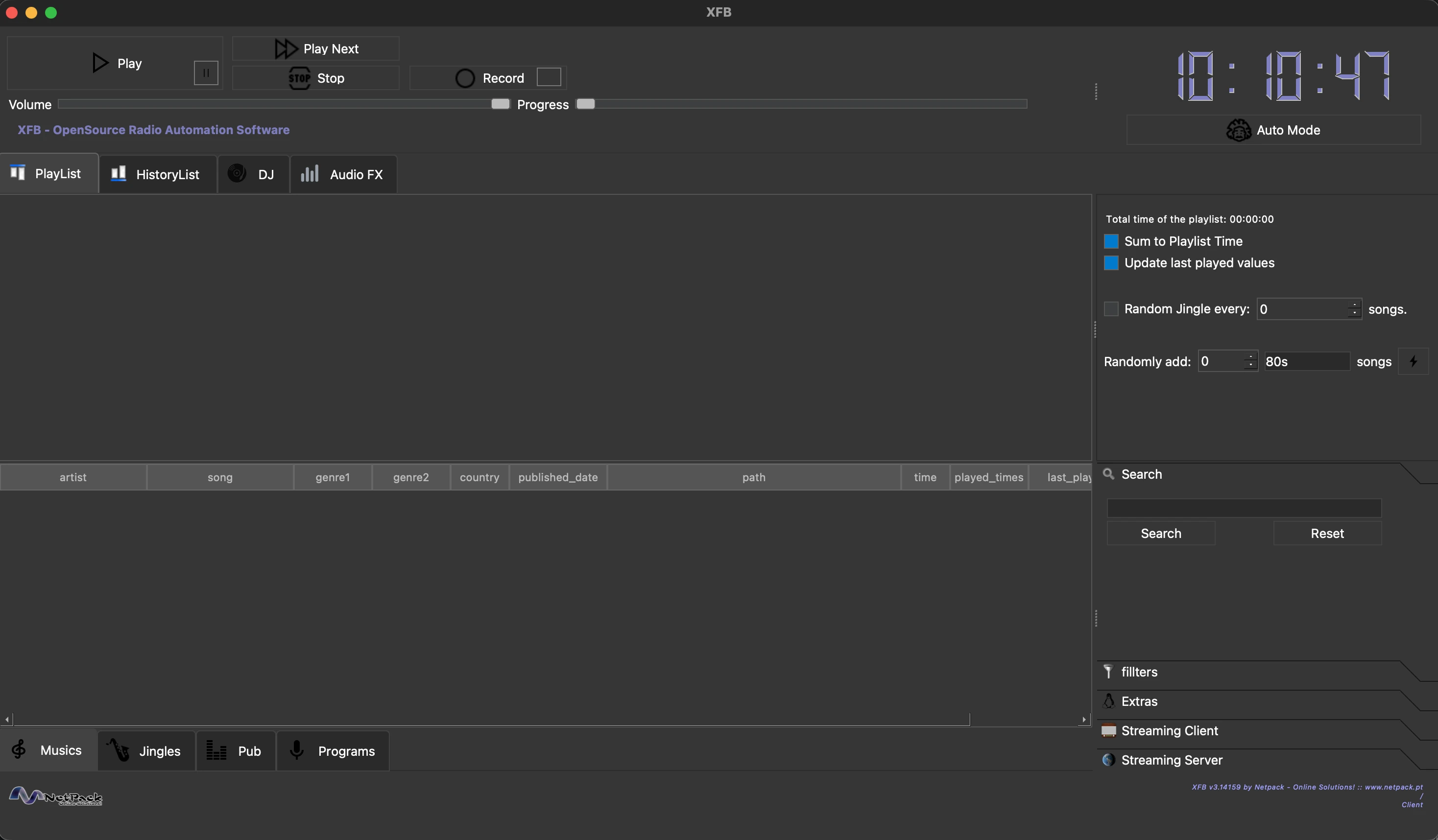




XFB is an open-source radio automation software developed by Frédéric Bogaerts at Netpack Online Solutions.
- Database Management — Catalog and organize music, jingles, advertisements, and programs
- Automated Scheduling — Create schedules for music playback, ad slots, and program airing
- Drag & Drop Playlist — Drag tracks from the music library directly into the playlist
- Multi-Player — Main player plus two auxiliary LP players for DJ mixing
- Audio FX — Per-player 10-band equalizer (with presets) and broadcast-style compressor, applied live (XFB → Audio FX, requires ffmpeg)
- 432 Hz Playback — Retune everything from A=440 to A=432 in real time without touching your files, or batch-convert one track, a selection, or the whole library (Database menu / music table right-click)
- Live Recording — Record programs directly within the application
- Streaming Client — Listen to any Icecast/Shoutcast stream or .m3u/.pls playlist from within XFB (with automatic reconnect), e.g. to monitor your station's output
- Torrent Search — Search music via Tor-routed onion sites (searching is anonymised; the BitTorrent download itself is not — your IP is visible to peers)
- Accessibility — ORCA screen reader support, keyboard navigation, audio feedback
- Cross-Platform — Runs on macOS, Linux (Debian/Arch), and Windows
Option A — Homebrew (recommended):
brew install --cask netpack/xfb/xfbThis installs XFB.app into /Applications together with ffmpeg (required by the
audio FX engine). Upgrade later with brew upgrade --cask xfb — or simply use
the in-app update notification.
Option B — Manual:
- Download
XFB-3.141592653-macOS.dmgfrom GitHub Releases - Open the DMG file
- Drag
XFB.appinto your Applications folder - Launch XFB from Applications (first launch: right-click → Open to bypass Gatekeeper)
Requirements: macOS 11.0 (Big Sur) or later, Apple Silicon
# Download and install the .deb package
sudo apt install ./xfb_3.141592653-1_amd64.deb

# Or if dependencies are missing:
sudo dpkg -i xfb_3.141592653-1_amd64.deb
sudo apt install -f
Requirements: Ubuntu 20.04+ or Debian 11+, Qt6 runtime libraries
# Using yay
yay -S xfb

# Or using paru
paru -S xfb

# Or manually
git clone https://aur.archlinux.org/xfb.git
cd xfb
makepkg -si- Download the installer from GitHub Releases:
- Intel/AMD 64-bit:
XFB-3.141592653-Setup.exe - ARM64 (Windows on ARM, e.g. Snapdragon):
XFB-3.141592653-arm64-Setup.exe
- Intel/AMD 64-bit:
- Run the installer and follow the prompts
- Launch XFB from the Start Menu or Desktop shortcut
Requirements: Windows 10 or later (64-bit Intel/AMD or ARM64)
Option A — Manual:
- Drag
XFB.appfrom Applications to the Trash - Optionally remove config:
rm -rf ~/Library/Application\ Support/Netpack\ -\ Online\ Solutions/XFB
Option B — Script:
./uninstall-macos.shThis removes the app, configuration, cache, and Tor data. Your music library is preserved.
# Remove the application (keeps configuration)
sudo apt remove xfb

# Remove everything including configuration
sudo apt purge xfb# Remove the package
sudo pacman -R xfb
# Remove with unused dependencies
sudo pacman -Rns xfbUser configuration in ~/.config/XFB/ is preserved. Remove manually if desired.
- Installer version: Use "Add or Remove Programs" in Windows Settings, or run
Uninstall.exefrom the install directory - Portable version: Run
uninstall-windows.batthen delete the XFB folder
User data in %APPDATA%\Netpack - Online Solutions\XFB is preserved.
- Add music to the database via File → Add a single song or File → Add all songs in a folder
- Browse your music library in the Musics tab at the bottom
- Drag and drop a track from the music table onto the Playlist tab
- Alternatively, right-click a track and select "Add to Playlist"
- Click Play to start playback from the playlist
- Use the Auto Mode button to enable automatic advancement through the playlist
- The progress slider shows current position; the volume slider controls output level
| Action | Shortcut |
|---|---|
| Play/Pause | Space |
| Stop | Ctrl+S |
| Next Track | Ctrl+Right |
| Full Screen | F11 |
| Add Music | Ctrl+M |
| Save Playlist | Ctrl+Shift+S |
- C++17 compiler (GCC 9+, Clang 10+, MSVC 2019+)
- CMake 3.16+
- Qt6 (Core, Gui, Widgets, Multimedia, Sql, Network, WebEngineCore, WebEngineQuick, QuickWidgets)
brew install qt@6 cmake
git clone https://github.com/netpack/XFB.git
cd XFB
./build-macos.shsudo apt install build-essential cmake qt6-base-dev qt6-multimedia-dev qt6-webengine-dev libsqlite3-dev
git clone https://github.com/netpack/XFB.git
cd XFB
./build-deb-no-tests.shREM Requires: Qt6 (MSVC), CMake, Visual Studio 2022 Build Tools
REM x64 (default)
set QT_DIR=C:\Qt\6.8.3\msvc2022_64
build-windows.bat
REM ARM64 (Windows on ARM). Best built natively on an ARM64 machine.
set QT_DIR=C:\Qt\6.8.3\msvc2022_arm64
build-windows.bat --arch arm64To cross-compile ARM64 on an x64 machine, install the ARM64 MSVC build tools
plus both an x64 and an ARM64 Qt, then point QT_HOST_DIR at the x64 Qt so
windeployqt can run while deploying the ARM64 libraries:
set QT_DIR=C:\Qt\6.8.3\msvc2022_arm64
set QT_HOST_DIR=C:\Qt\6.8.3\msvc2022_64
build-windows.bat --arch arm64For full functionality, consider installing:
| Tool | Purpose |
|---|---|
tor |
Anonymous torrent search via onion sites |
aria2c |
Torrent downloading |
orca |
Screen reader support (Linux) |
exiftool |
Automatic track duration detection |
yt-dlp |
Download media from online sources |
ffmpeg |
Audio format conversion |
XFB is free and open source, and always will be. If it is useful to you or your station, you can support its continued development through GitHub Sponsors. Sponsorships fund the time spent on new features, cross-platform packaging, and keeping the project maintained.
- Open an issue on GitHub
- Email: info@netpack.pt
- Website: netpack.pt
XFB is licensed under the GNU General Public License v3.0. See the LICENSE file for details.
Made with ❤️ by Frédéric Bogaerts @ Netpack - Online Solutions