







A local-only dog activity tracker for Home Assistant. Log walks, bathroom breaks, meals, medications, weight, and more — all stored privately in your HA instance with no cloud dependency.
- Local storage only — all data stored in HA's
.storagedirectory, no cloud accounts or tokens required - Per-event sensors — most-recent timestamp for each event type (pee, poop, medicine, walk, food, treat, water, grooming, training, sleep, weight, vaccine, sick)
- Daily count sensors — today's counts for common event types (resets at local midnight)
- Days-since-medicine sensor — track medication intervals for automation reminders
- Weight sensor — track your dog's weight over time
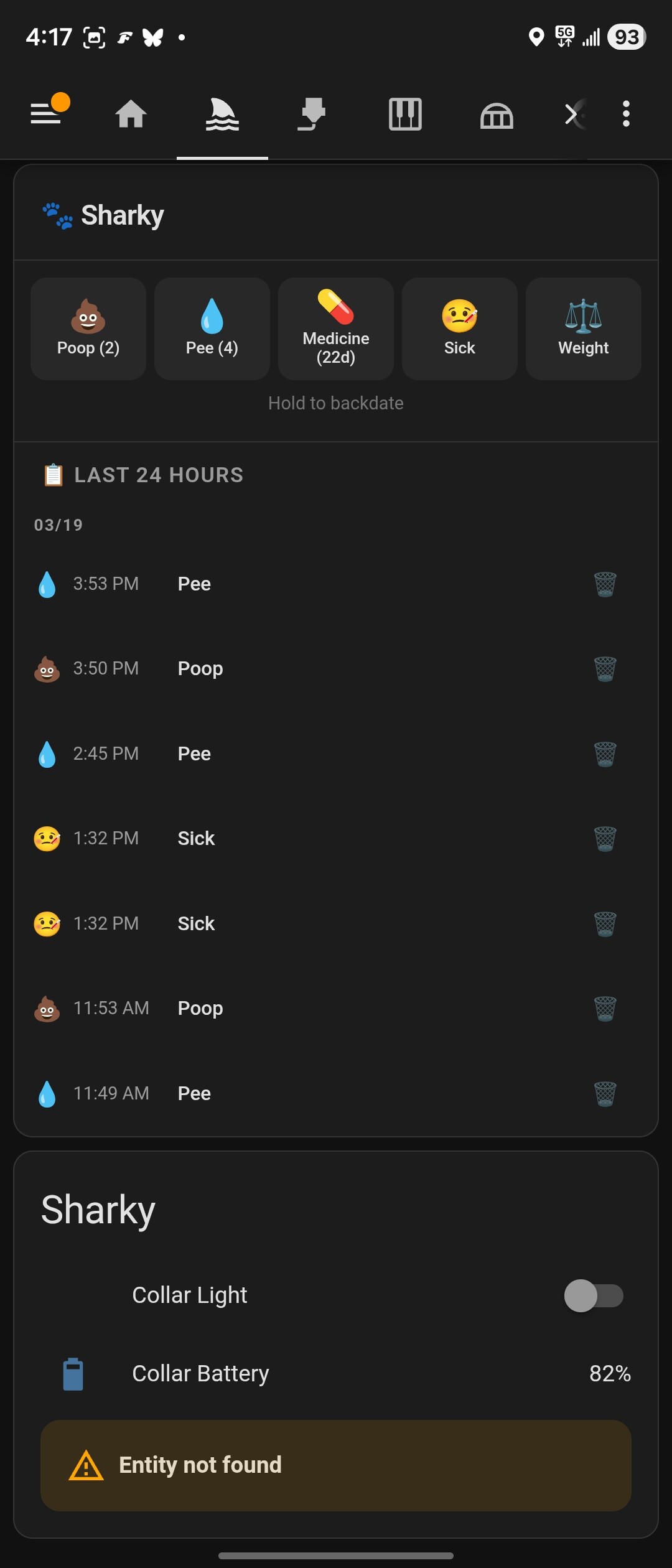
- Pawsistant Card — built-in Lovelace card auto-registers on install; log events, view the full event timeline with infinite scroll, and track stats without leaving the dashboard
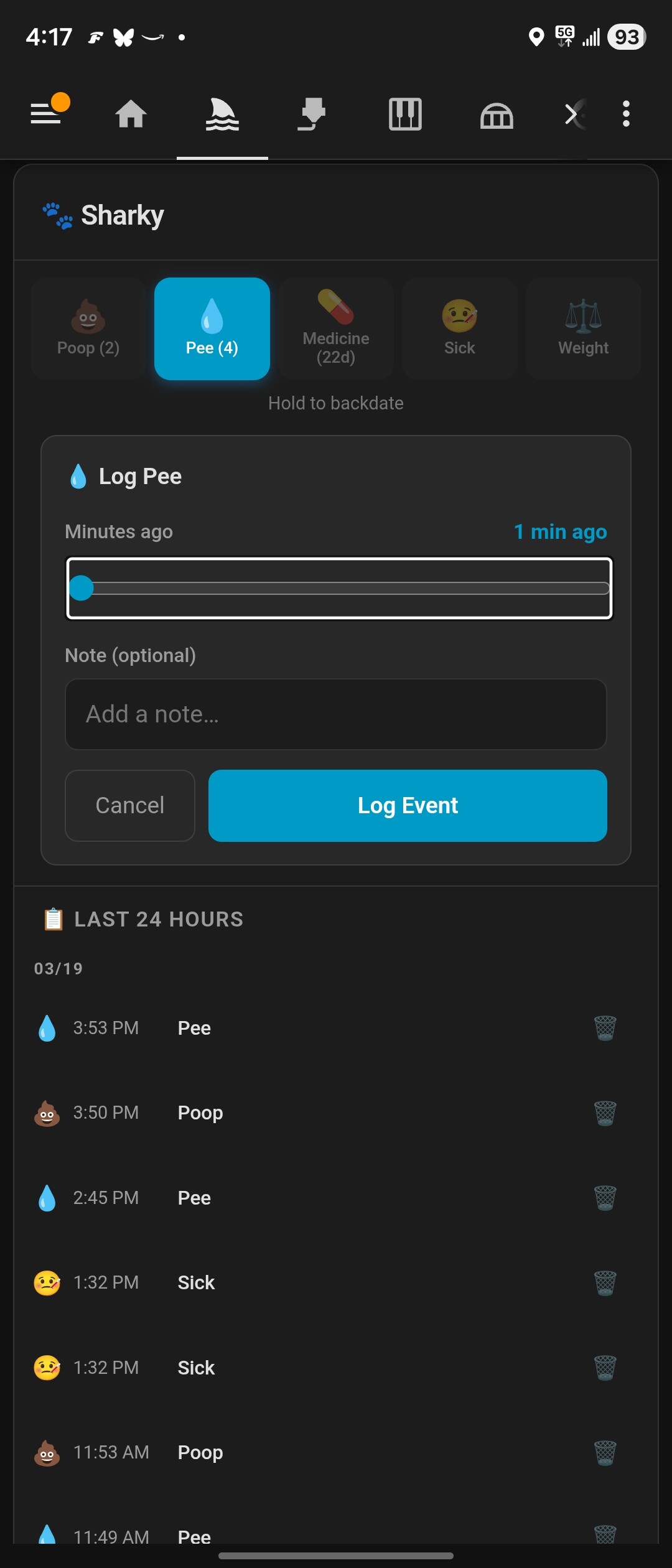
- Pawsistant Button Card — separate card for placing quick-log buttons anywhere on your dashboard. Multiple buttons per card, configurable grid (2–6 per row), add/remove/reorder in the visual editor. Tap opens backdate form, long-press logs instantly with haptic feedback
- Haptic feedback — long-press on any Pawsistant card triggers native haptics in HA Companion (Taptic Engine on iOS, system haptics on Android)
- Multi-dog support — add and remove dogs via services at any time
- Timezone-aware — daily counts use your HA instance's local timezone
- Open HACS → Integrations → ⋮ → Custom repositories
- Add
https://github.com/prestomation/Pawsistantwith category Integration - Search for Pawsistant and install
- Restart Home Assistant
- Copy
custom_components/pawsistant/into your HA config'scustom_components/directory - Restart Home Assistant
- Go to Settings → Devices & Services → Add Integration
- Search for Pawsistant
- Enter your first dog's name (required), breed, and birth date (both optional)
- HA creates sensors for your dog and auto-registers the Pawsistant card as a Lovelace resource
If you also run the Home Keeper task tracker, Pawsistant's options (Settings → Devices & Services → Pawsistant → Configure → Manage care schedules) let you attach a recurring schedule to any pet activity — nail trims, medicine, grooming, etc.
Pawsistant creates the matching recurring task in Home Keeper (attached to the pet's device) and keeps the two in sync: logging the activity in Pawsistant marks the Home Keeper task done, and completing the task in Home Keeper logs the activity in Pawsistant — so they behave like the same button. The option only appears when Home Keeper is installed.
Pawsistant also announces itself to Home Keeper so it appears under Home Keeper's Settings → Companions section, with a Configure link to Pawsistant's settings page (where the care schedules above live) — so if you have both, you'll discover they pair up from either side.
The Pawsistant card is automatically registered when the integration loads. Add it to any dashboard:
type: custom:pawsistant-card
dog: Sharky
Card features:
- Quick-log buttons (tap to log now, hold to backdate)
- Weight logging form with configurable unit (lbs/kg)
- Full event timeline with infinite scroll, inline edit and delete
- Stats row: pee count, poop count, days since medicine
Card config options:
| Key | Default | Description |
|---|---|---|
dog |
(required) | Dog's display name (must match the name used in services) |
shown_types |
['poop','pee','medicine','sick','weight'] |
Which event-type buttons to show |
weight_unit |
lbs |
Weight unit: lbs or kg |
timeline_entity |
auto-detected | Override timeline sensor entity ID |
pee_count_entity |
auto-detected | Override pee count sensor entity ID |
poop_count_entity |
auto-detected | Override poop count sensor entity ID |
medicine_days_entity |
auto-detected | Override days-since-medicine sensor entity ID |
weight_entity |
auto-detected | Override weight sensor entity ID |
Log an activity for a dog.
| Field | Required | Description |
|---|---|---|
dog |
✅ | Dog name (case-insensitive) |
event_type |
✅ | One of: poop, pee, medicine, sick, food, treat, walk, water, sleep, vaccine, training, weight, grooming, teeth_brushing |
note |
— | Optional note |
value |
— | Numeric value (required for weight events; lbs) |
timestamp |
— | ISO 8601 timestamp for backdating; defaults to now |
Delete an event by ID.
| Field | Required | Description |
|---|---|---|
event_id |
✅ | Event ID (available in sensor extra_state_attributes) |
Register a new dog (triggers integration reload to create sensors).
| Field | Required | Description |
|---|---|---|
name |
✅ | Dog's name |
breed |
— | Breed |
birth_date |
— | Birth date (YYYY-MM-DD) |
Remove a dog and all associated events.
| Field | Required | Description |
|---|---|---|
dog |
✅ | Dog name (case-insensitive) |
Query events for a dog. Returns data via service response (response_variable).
| Field | Required | Default | Description |
|---|---|---|---|
dog |
✅ | Dog name | |
event_type |
— | all types | Filter by event type |
days |
— | 7 |
Number of past days to include |
Example automation:
action:
  - service: pawsistant.list_events
    data:
      dog: Sharky
      event_type: medicine
      days: 30
response_variable: medicine_eventsBulk-import events from a JSON array (for migrating from other systems).
| Field | Required | Description |
|---|---|---|
events |
✅ | List of event dicts with keys: event_type, timestamp, dog_id, note, value |
For a dog named Sharky, the following entities are created:
| Entity | Description |
|---|---|
sensor.sharky_most_recent_pee |
Timestamp of last pee event |
sensor.sharky_most_recent_poop |
Timestamp of last poop event |
sensor.sharky_most_recent_medicine |
Timestamp of last medicine event |
sensor.sharky_most_recent_walk |
Timestamp of last walk |
sensor.sharky_most_recent_food |
Timestamp of last meal |
sensor.sharky_daily_pee_count |
Pee events today |
sensor.sharky_poop_count_today |
Poop events today |
sensor.sharky_daily_walk_count |
Walks today |
sensor.sharky_weight |
Most recent weight (lbs) |
sensor.sharky_days_since_medicine |
Days since last medicine event |
sensor.sharky_recent_timeline |
Count + list of events in last 24h |
Events are stored in HA's .storage directory:
.storage/pawsistant— dog registry (names, breeds, IDs).storage/pawsistant_events_YYYY— events partitioned by year
No external database, no cloud sync, no tokens.
MIT
