   ____ _  _ ___ ____                     __ __ ____ _________ _
    \__\ \  \  \  \  \                        _ _____________ __
     \  \ \__\  \  \__\                          __ __ ______/  |
      __________  _____     _____ __________       _________|    \_
      |         \ \    \   /    / |          \        ____   \_    `-_
      |    __    | \    \ /    /  |    __     |       /   \ 4  5.     \
      |   |__)   |  \    V    /   |   |__)    |      /    /3     6\    \
      |      ___/    \       /    |          <       |   |2     / 7|   |
      |     |         |     |     |     |\    \      \    \1   / 8/    /
      |     |         |     |     |     | \    \      \    `-.^.-'    /
      |_____|         |_____|     |_____|  \____\      '-_        _-'
                                                          `------'

                                            )))
                                           (o o)
    ----  PyroCMS Deploy Tool v1.5 --- ooO--(_)--Ooo ----
This is a PyroCMS 3 deploy tool with customization, install automation, better version control setup and other nice-to-have features.
Auto-pyro downloads, configures, installs and deploys a complete Pyro app with optional / required addons and packages. It automatically installs Pyro Builder and comes pre-configured with a todo module example out of the box.
Here's a video to demonstrate how it works (click on the image)
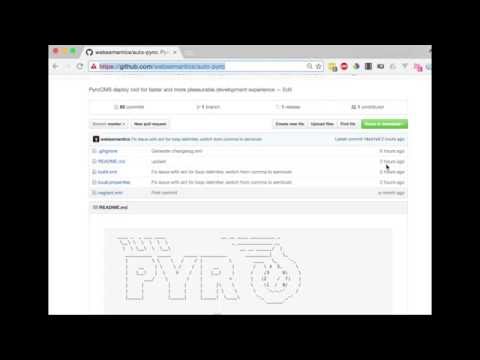
And, the following steps sum-up what was achieved in the video,
1- Install Apache Ant,
brew install antApache Ant is an awesome build tool and despite its seemingly dated xml format, it can achieve great feats. Tutsplus has a great article called, Automate your Projects with Apache Ant to introduce the tool to new comers.
2- Clone this repository into my-app,
git clone https://github.com/websemantics/auto-pyro my-app3- Add other project files, for example, README.md, CONTRIBUTING.md and LICENSE.md etc,
4- Configure the properties file,./local.properties with database settings (see Environment Variables for more details). The script will create a fresh database every time it runs,
5- Deploy the app by executing the command ant in the project folder,
cd my-app
ant
Set back until the deploy process is complete. Browse to the project to view, for example, http://my-app.test.
A setup switch setup is available for you to only install Pyro.
ant -Dsetup=falseThe deploy process will skip cloning PyroCMS repo, requiring plugins and composer packages.
This is a simple module that is used to demonstrate features of Auto-pyro and Pyro Builder,
It is achieved as the result of executing a number of artisan commands as follows,
# Start with scaffolding a new module,
php artisan make:addon websemantics.module.todo,

# Make a stream and fields migrations,
php artisan make:stream 'task:tc(name),name,description:t(anomaly.field_type.textarea),completed:t(anomaly.field_type.boolean)' websemantics.module.todo

# Finally, install the module, .. done!
php artisan module:install websemantics.module.todo
Check env.ARTISAN in the properties files ./local.properties for details. Also, make sure to remove this line if you're using Auto-pyro in your own project.
Here's a list of why this project can be of help when working with PyroCMS 3, mainly nice to have features that reduce the workload required when starting new projects,
-
We don't always need to install, migrate or seed all PyroCMS core addons. For example, not seeding the
Pagesmodule will allow us to use the project Twig views instead. -
When building an app or a website with PyroCMS most of the project code commonly located in the well-recognized
./addonsfolder. However, we often end-up tracking app boilerplate code from Laravel and PyroCMS core modules (located at./core) plus many other files in the project Github repository. -
To gain the ability to have project own
README.md,CONTRIBUTING.mdandLICENSE.mdfiles instead of the framework defaults. -
Oftentimes we need to install third-party modules, themes and other addons from Github but end-up installing them manually and track them in the project Github repository.
-
Find it somewhat inconvenient to install dependencies for third-party/our own addons (Bower, NPM, Composer, etc) or run build tasks (i.e Grunt, Gulp) after every install.
-
Call it lazy, but, installing and deploying a PyroCMS project completely from the command line would be an absolute pleasure.
-
Building Admin interfaces for new project modules / extensions can be time consuming. Having a build process that can take migration files and turn them into admin UIs would be nice.
-
And last but not least, how about the ability to encode your application modules and streams into the DNA of your auto-pyro install so that they are ready after each install?
Quick list of the features and benefits of using Auto-pyro,
- Complete installation and deployment of Pyro projects from the command line,
- Select which modules/addons (including core) to install or exclude,
- Exclusively track the project's code on Github,
- Get fresh Pyro 3 for new installs,
- Install third party plugins directly from Github,
- Automate database migration and seeding,
- Install front-end, node, composer and other dependencies for the app or its dependencies,
- Speed Admin development with the Builder (included),
- Painless removal of the Installer Module and other excluded addons after installation is complete,
- Execute artisan commands after install,
- Install the Streams platform and PyroCMS core modules directly on Laravel (experimental),
- Optionally, setup a Vagrant environment,
To configure the deploy process, change properties values in ./local.properties, located at the root folder,
Here's a quick list of the PyroCOM Environment properties,
| Property | Value | Description |
|---|---|---|
| APPLICATION_NAME | default |
Set to Default by default |
| APPLICATION_DOMAIN | localhost |
Change as appropriate |
| APPLICATION_REFERENCE | default |
Set to default by default |
| APP_URL | default.test |
Set to {APPLICATION_NAME}.test by default |
| ADMIN_USERNAME | admin |
Set to admin by default |
| ADMIN_EMAIL | admin@admin.com |
Set to admin@admin.com by default |
| ADMIN_PASSWORD | secret |
Set to secret by default |
| DB_DATABASE | pyro |
Set to pyro by default |
| DB_USERNAME | root |
Change as appropriate |
| DB_PASSWORD | root |
Change as appropriate |
| DB_CONNECTION | mysql |
Set to mysql by default |
| DB_HOST | localhost |
Set to localhost by default |
| APP_KEY | r!a#n^d*o?m |
Auto generated |
| APP_ENV | local |
Change as appropriate |
| DEFAULT_LOCALE | en |
Change as appropriate |
| APP_TIMEZONE | UTC |
Change as appropriate |
| APP_DEBUG | false |
Change as appropriate |
| ADMIN_THEME | pyrocms.theme.pyrocms |
Optional |
| STANDARD_THEME | pyrocms.theme.starter |
Change as appropriate |
Configuration of core addons
| Property | Example | Description |
|---|---|---|
| SEED_EXCLUDES | pages,variables |
Comma-separated list of modules or extensions to be excluded from seeding |
| MODULE_EXCLUDES | pages,post |
Don't install modules (comma-separated list) |
| EXTENSION_EXCLUDES | default_page_handler,page_link_type |
Don't install extensions (comma-separated list) |
The deploy script is written for Apache Ant and can be found at ./build.xml.
Targets are equivalent to methods in PHP. When the ant command is invoked, it looks for ./build.xml at the current folder and runs the default target.
To get a list of targets,
ant -projecthelpTo better understand the deploy script in build.xml, here's a list of all the targets included, their dependencies and order of execution,
| Order | Target | Description | Dependencies |
|---|---|---|---|
| 10 | default |
The default target to start project deploy | install |
| 9 | install |
Deploys this project and runs post deploy tasks | run-artisan-commands |
| 8 | run-artisan-commands |
Run artisan commands | require-install-addons |
| 7 | require-install-addons |
Requires and installs project addons and all the front-end, css, npm, grunt libraries | install-pyro |
| 6 | install-pyro |
Installs PyroCMS by running migrations, installing/seeding core modules/addons and creating the project .env file | create-database |
| 5 | create-database |
Create database | require-composer |
| 4 | require-composer |
Requires all composer dependencies | require-pyro |
| 3 | require-pyro |
Clones PyroCMS and copy its files to project folder | clean |
| 2 | clean |
Delete temp folders and the project .env file |
init |
| 1 | init |
Loads project properties, task definitions and other environment settings | * |
There are few empty targets with examples to use with common tasks, for example, install, uninstall or reinstall the project addons when in development mode,
| Target | Description | Dependencies |
|---|---|---|
install-addons |
Install project addons | init |
uninstall-addons |
Uninstall project addons | init |
reinstall-addons |
Reinstall project addons | init |
The remaining tasks are experiential and still work in progress,
| Target | Description | Dependencies |
|---|---|---|
install-laravel |
Install PyroCMS on top of Laravel | require-laravel |
require-laravel |
Clones Laravel and copy all files to project folder | init,clean |
update-database |
Update database with liquibase schema | init |
1.5.0 date: 2019-09-07 changes:
- Upgraded to PyroCMS 3.7
- Switched to Maven Repository for Java jar files
- Upgraded Java MySQL Connector to v8.0.17 1.0.0 date: 2016-09-18 changes:
- Start Changelog,
- Update for PyroCMS 3.1 and Laravel 5.3,
- Install and deploy Pyro from the command line with a single command,
ant - Include / exclude core Pyro addons,
- Require Pyro Addons directly from Github,
- Opt-out core Addons from seeding,
- Run
artisancommands after install - Install Pyro Builder by default,
- Scaffolds and installs a
todomodule by default,
Need help or have a question? post a questions at StackOverflow
Please don't use the issue trackers for support/questions.
We are more than happy to accept external contributions to the project in the form of feedback, bug reports and even better - pull requests :)
MIT license Copyright (c) Web Semantics, Inc.